Proctor your own LSAT practice tests.
See the time left in the section and exactly which passage and question you should be on, every second.
Download on theApp Store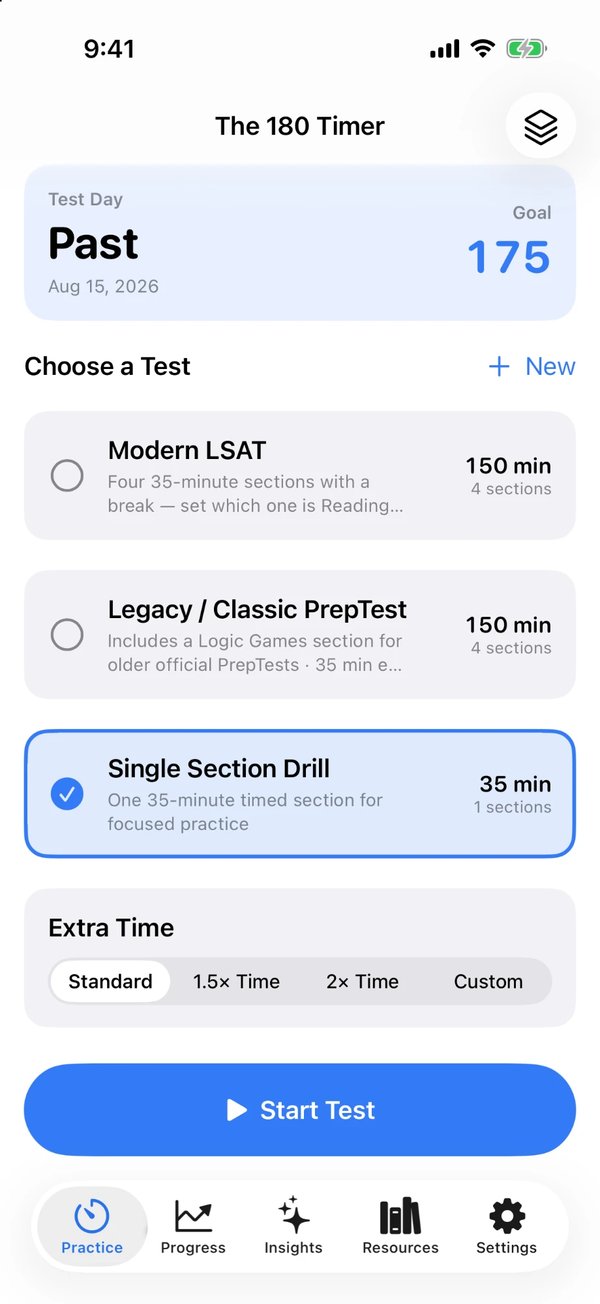
Timing built for the real test.
Turn any official PrepTest into a realistic, timed exam.
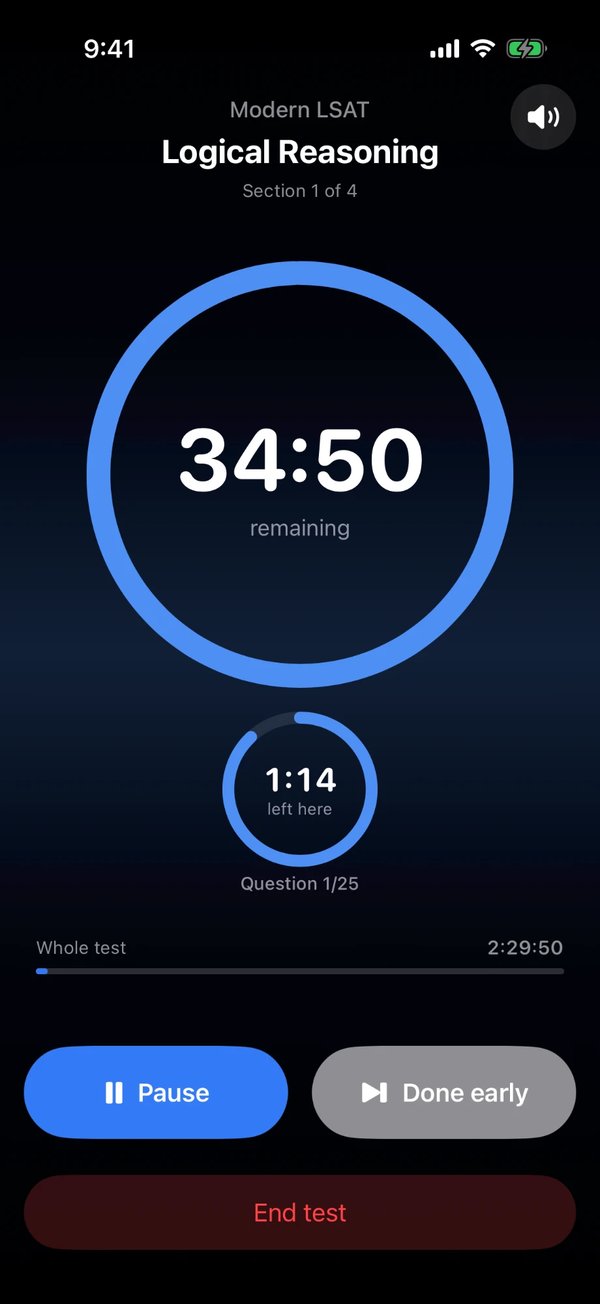
Section, passage and question timers
The time left in the section, the passage or game you should be on and the question you should be on, all at a glance.
The current LSAT format
A Modern preset for today's four-section test, a Legacy preset with Logic Games for older PrepTests, and single-section drills.
Warnings and proctor cues
End-of-section and five-minute warnings, with optional spoken cues like "Five minutes remaining."
Accommodations
Time and a half, double time or any custom section length. A break timer and test-day checklist are built in.
Watch your score climb.
Log every practice test and see where your time goes.
Score tracking
Log your scores and watch your 120–180 trend, with a countdown to test day.
Pacing by section
Time per question, and exactly where you run out of time.
On-device insights
Spot your pacing patterns, privately on your iPhone.
Everywhere you study
An Apple Watch app, a Lock Screen Live Activity and hands-free starts with Siri and Shortcuts.
Frequently asked questions
Can't find your answer? Email support@azzosoftware.ca.
Is The 180 Timer free?
Yes. Every feature is free, with no ads, no subscription and no account.
Does the app include LSAT questions?
No. The 180 Timer is a timer and analytics tool. Bring your own official PrepTests and use the app to time and track them.
Does it match the current LSAT format?
Yes. The Modern LSAT preset matches the current four-section format, and you choose which section is Reading Comprehension before you start. A Legacy preset with Logic Games is included for older PrepTests.
Does it support extra time accommodations?
Yes. Choose time and a half, double time or any custom section length.
Will the timer keep running if I lock my phone?
Yes. The timer keeps exact time if you lock your phone or leave the app, and shows on the Lock Screen and in the Dynamic Island as a Live Activity.
Where is my data stored?
Your scores and test history are stored on your device and synced privately through your own iCloud account. We never see them.
Get The 180 Timer
Free on iPhone, iPad and Apple Watch. No ads, no account.
Download on theApp StoreThe 180 Timer is an independent app published by Azzo Software Inc. It does not include LSAT questions. LSAT is a registered trademark of the Law School Admission Council, which does not sponsor or endorse this app.